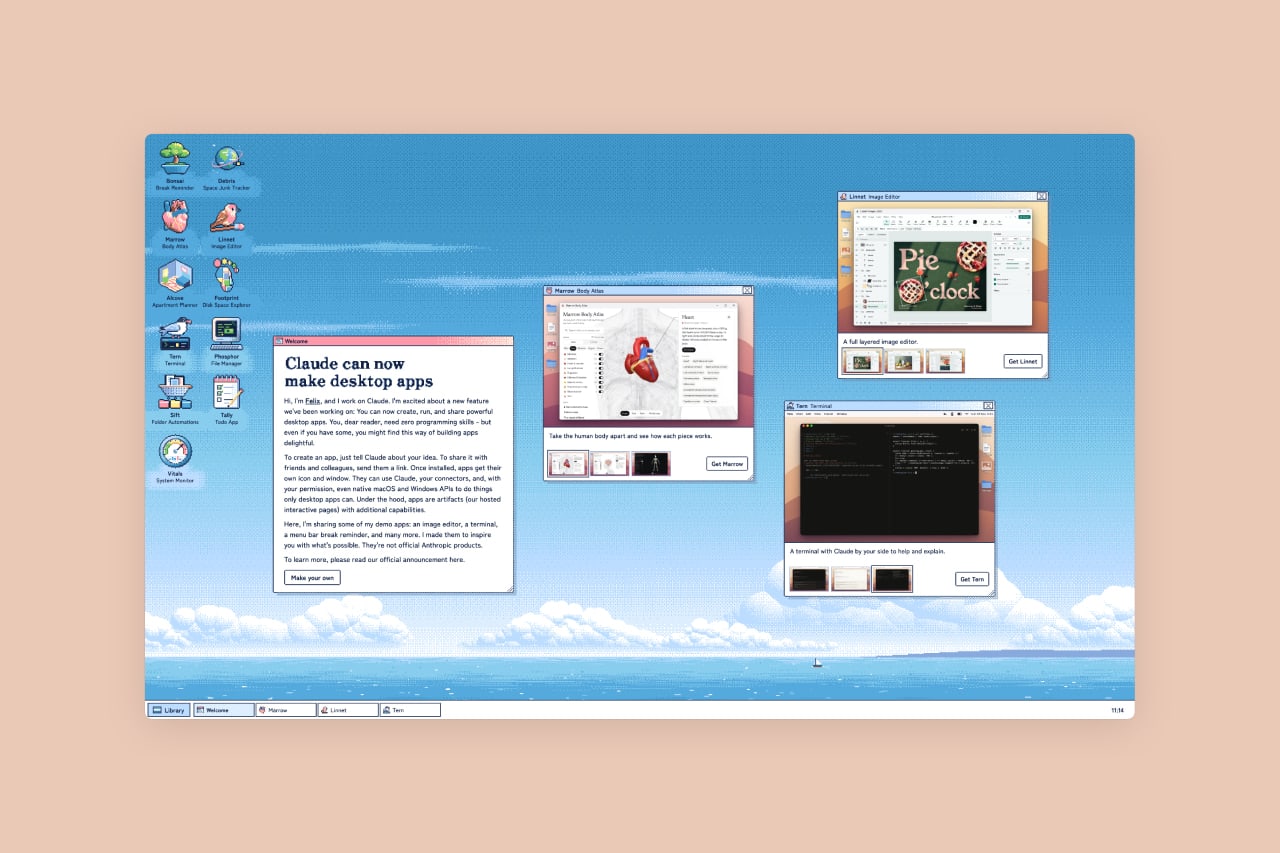
Anthropic launched a new feature on November 24, 2026, enabling users to convert content generated by its Claude AI into standalone Mac and Windows desktop applications without requiring coding expertise.
The “Install as app” beta feature allows these AI-generated artifacts to function as native applications with their own icons and windows, democratizing app development.
These newly created applications can perform various desktop functions, including sending notifications, appearing in system menu bars, accessing local files, and launching other programs, depending on the permissions granted during installation. The feature is available across all Claude plans, including the free version, though application requests consume user quotas, Anthropic reported.
Louis Derouet, writing for Informatique News, noted that this capability lowers the barrier to entry for software creation, potentially allowing individuals without programming knowledge to develop functional desktop tools.
Anthropic advised users to exercise caution, stating that it does not vet applications before installation. The company recommended granting full computer access only to applications from trusted sources to mitigate potential security risks.
Users can select from three permission levels for the installed applications. The Default level offers browser-like functionality, while Application Permissions allow controlled functions such as notifications. The Full Computer Access level grants the application extensive capabilities, including the ability to read and modify local files and launch other programs on the user’s system.
To demonstrate the feature’s potential, Anthropic developed five sample applications. These include Linnet, an image editor; Phosphor, a file manager; Sift, a file organizer; Tern, a command-line terminal; and Vitals, a performance monitor. These examples illustrate the diverse range of utilities that can be created using the new AI-powered conversion tool.
Source: Abondance